I have posted another article regarding a different issue for the iPhone not charging problem here: iPhone not charging
How i found my iPhone not charging
When i wokeup in the morning, i was amazed to find out that my iPhone was switched off! well, upon booting it up, another surprise was to know that the battery level was 2% only, which should not be like that usually.
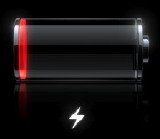 Well, I connected my iPhone to my macbook and got busy in my usual routine including user comments on nabtron, but after some time, when i checked the percentage of charging done, it was still 2%! now that was creepy! maybe it was not charging ? I thought that maybe my connecting wire or usb port has got some problem or maybe iPhone has got some problem itself! Anyway i realized that my iPhone was not charging or atleast not showing any change in the battery meter even if it was trying to charge itself!
How to fix iPhone not charging issue
To fix my iPhone not charging issue, I checked which applications are running on my iPhone and didn’t find any other than phone and messages. . . hmm . . . so now what? well, here it is that how did i got my problem with iPhone as it was not charging the battery:
Simply hold the home and power button for couple of seconds until it restarts, for around 10 seconds. If it by chance goes into recovery or dfu mode, don’t, repeat! DoNOT attempt to recover it by any method, simply restart it again, we just need to restart and boot the OS fresh. And when it restarted, it had 100% charging dramatically instead of that 2% !
This will solve the problem hopefully! Some one mentioned that if we do up down to the silent/mute button four times before pressing home and power button on the iPhone, then it works to solve the iphone not charging issue too. . well, you can give a try to the silent / mute button too if simple reboot don’t work for you!
Please let me know if your iPhone after following this tutorial is still bricked and not charging or not turning on!
If this didn’t work for you, check this tutorial: iPhone not charging
hi i have done what was said but does not work it worked for a day but reverted back to its non charging ways so what shall i do
which thing worked for you once?
hi i have done what was said but does not work it worked for a day but reverted back to its non charging ways so what shall i do it is iphone 2g
fixed now?
mah phone got switched off..,it completely stopped charging wt do i do nw?
Did you try using a different charger ?
Ok for the past two days my iPhone 5 won’t charge or hold a charge all it does when I put it on the charger is show the charging signal and constantly blinks on and off even when it’s charging or decides to come on I even brought a new charger still does the same any help
there can be three possibilities
either the new charger you bought was faulty too, try taking your iphone to the shop and let it charge there for 5 minutes or so and see if it starts
The wall socket or usb port from which you’re trying to charge your iphone from is faulty
your iphone charging slot or the battery is faulty
I found a solution for the charging problems. It’s not reset, reboot, cable or charger problems. You just have to turn off the iphone and fully charge it. After that you can continue with the charge while on status on the succeeding charge
Paul
Paul, ya this can be problem in some cases, like yours too!
Nabeel in serious shit i have a 3g it wont charge have tried the hard reboot yank the sim in n out and reboot my pc with my iphone connected nothing is working the myth part is that when my phone is turned off as soon as i plug it in the wall or pc the phone starts up by apple logo showing but still wont show me if its charging and there is no churp any1 help please :(
n yes one more thing my battery meter somehow increases very slowly from 35% to 50 % but still there is nor battery charging churp or anything dont know what the hell is wrong with this
did you try changing the charger?
Just rebboted my iPhone and it is fine again :D
Thanks
Worked for me. Thanks!
Worked for me – thanks
Worked for me too….thanx a lot nabeel!!!
you’re welcome!
guyz m in serious shit i have a 3g it wont charge have tried the hard reboot yank the sim in n out and reboot my pc with my iphone connected nothing is working the myth part is that when my phone is turned off as soon as i plug it in the wall or pc the phone starts up by apple logo showing but still wont show me if its charging and there is no churp any1 help please :( the weird part is though my iphone is showing me that its not charging the battery percentage is increasing but at a turtle’s speed
Oh my gosh! Thank you so much Nabeel! This worked for me!:D
glad to know that it worked! :)
Nabeel, Thanks for the info. The reboot did the trick. It seems every time you update the firmware the phone needs to be rebooted.
you’re welcome Steve!
worked for me thanks
welcome!
Hi,my iPhone 3G haven’t charging . I connect cable after again n again connect disconnect plz tell me what’s problem(I purchase new cable but same problem)
restart your computer and iphone and take usb cable off both of them and replug in
This actually worked for me! Thank you so much
Glad to know that!
Many thanks – my phone suddenly wasn’t charging for the past 24 hours, tired your suggestion of reboot and it worked, came up showing 100% charge, hopefully it lasts!
Hay finally some answers i was gunna get a new one wooow lucky i didnt
glad to know that it saved you some $ ;)
Hello, i have an iPhone. I just bought it today, and i plugged it into my PC. But then, the iPhone on’s and offs every 4 seconds exactly. So it won’t charge. I thought my PC was the problem, but then, when i plugged it in my wire sockets, it does the same thing. I thought it was flashing so it was charging, but then the next day, it was doing the same thing, and it had’nt charged a bit. Can you please help me solve this issue? Please and thanks.
In my last comment, i made a mistake. This is how it should have been:
Hello, i have an iPhone. I just bought it today, and i plugged it into my PC for it to charge. But then, the iPhone on’s and offs every 4 seconds exactly while it charges. So it won’t charge. I thought my PC was the problem, but then, when i plugged it in my wall sockets, it does the same thing. I thought it was flashing so it was charging, but then the next day, it was doing the same thing, and it had’nt charged a bit. Can you please help me solve this issue? Please and thanks.
did you try another charger? there is problem with the charger probably
how do i fix a charger problem for iphone 4g
the methods listed in this post will help you fix the charger issue for iphone 4 too
It worked for me! Thank you xx
you’re welcome Lizzy!!
Hey guys! It happend to me last night, the same thing! I just conected it to mt my computer and it worked out perfecly :)
glad to know that your iPhone is charging fine now!
thanks dudeeeeeeeeeeeeee!
you’re welcome emma!
It worked!:D
thank you
you’re welcome Paola! I know its too late to reply though! :) hopefully your iPhone is charging well now
ok i have done each thing the home and power and the mute then home and power i held it for 10 seconds then 20 then 30 nothing why is it doing this and how do i fix mine it is totally dead and wont charge is it done for good
iv tried to change the charger iv blown in the socket iv done absolutly everything above right now and i got all excited cause i saw the battery sign but then it said it needed to be plugged in again so i got all pissed this is really confusing some i beg of u plzhelp me this is my only phone and my iphone is 1st gen the very first one to come out in silver is the one i got i need help i cant lose it plz
its probably charger issue, keep it on charging with new charger for a while
or try taking it to local shop
It worked..!! THANKS!
glad to know that your iphone is now charging
I’ve tried rebooting and hard rebooting, nothing seems to work and I don’t want to refresh the firmware, any suggestions?
get a new charger!
BASICALLY
My charger hasn’t been working for a couple of days now, and its been so long that it has absolutely NO charge, meaning not even the “charge me” sign can come up.
This means that I can’t reset it.
HELP :'(
have you tried a different charger Fell?
love that , thaaaaaaaaaaaaaaaaaaaaaaaanx its realllllly helpfull thanx thanx thanx 100% helpfull my iphone back 2 work thanx
<3
you’re welcome sarah, glad to know that your iPhone is charging again now
thanks so much it worked by rebooting. i thought i have to go to a service center to have this fixed. thanks so much! :)
I’m glad that it saved you a trip to apple service center. how about a tip? http://nabtron.com/donate/
YES FRIEND I HAVE SOLVE THAT PROBLEM. I AM VERY THANKFUL TO YOU …HASSAN
you’re welcome hassan, glad to know that your iphone is charging fine now
hey, how goes?
also experiencing the 1% sometimes 2% issue, have replaced the battery, tried different chargers and cables also rebooted countless times but it just wont go over 2%. this all happened suddenly, no updates or app installs but im convinced its software related as ive covered all the hardware bits, any new info on this issue?
Which iphone model are you using and what’s your iOS version?
Nabeel I have iphone 6plus and it is charging but don’t increasing the battery percentage so please tell me what can i do?
did you try all the steps mentioned to fix your iphone 6 plus charging issue?